
Microsoft CopilotFundamentals
Build the foundation to work independently with AI. In two workshops and a coaching session you'll master the 4 prompt building blocks and set up your personal AI work environment.
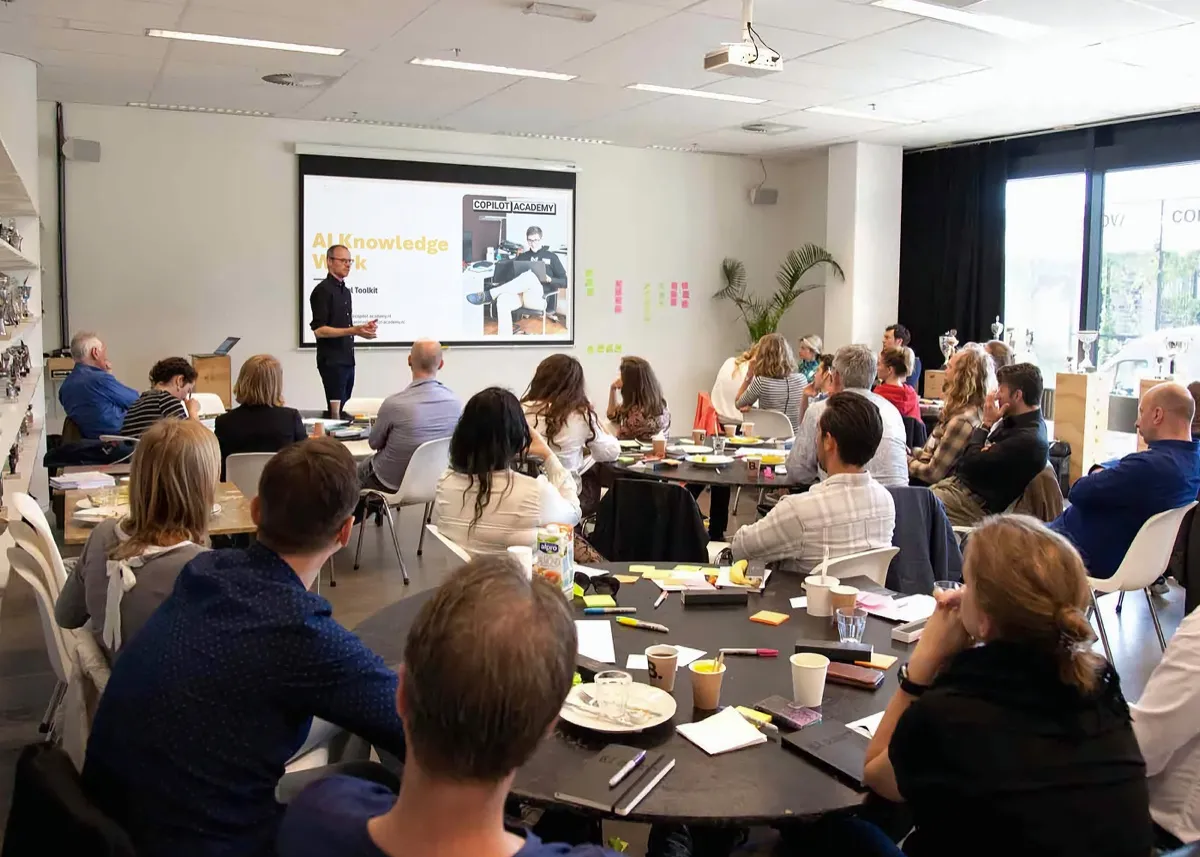
What you'll learn
The skills to use AI tools like Microsoft Copilot, ChatGPT, and Gemini effectively at work.
Master the 4 prompt building blocks
Write clear instructions for consistent results
Build your personal AI workspace
Organize your tools and templates for optimal use
Create context documents
So AI understands your work and delivers relevant output
Structure tasks for AI collaboration
Break down complex assignments for better results
Who is it for?
This course is ideal for knowledge workers who deal with information, documents, and communication daily. Whether you're a project manager, consultant, HR professional, or administrative staff: if you use Microsoft 365 and want to use AI to work faster and smarter, this is your starting point. No technical background required.
The 4 prompt building blocks
This TCRF framework is the foundation of all our courses.
Program
Two hands-on 3-hour workshops plus a 1-hour coaching session.
Workshop 1
AI Foundation · 3 hours
- • How chat models work
- • Spotting hallucinations
- • The 4 prompt building blocks
Personal prompts and templates
Workshop 2
AI Context · 3 hours
- • Setting up your AI workspace
- • Creating context documents
- • Writing your own prompts
AI workspace + context documents
Coaching (optional)
Personal · 1 hour
- • Feedback on your prompts
- • Personal questions
- • Defining next steps
Personal action plan
What you'll take away
Everything you need to keep going after the course.
Resource Hub
Online platform with workshops, videos and reference material. Always accessible.
Workshop Toolkit
Ready-to-use prompts per building block. Copy, paste and adapt for your own work.
Training manual
Reference guide with all theory, frameworks and exercises from the workshops.
What makes this course different?
Most AI courses focus on features and buttons. This one focuses on skills: how you think about AI, how you communicate with it, and how you use it consistently in your work. At the core is the TCRF framework: four building blocks that give you reliable, usable output.
- Your own work is central. You don’t practice with canned examples — you work with your own documents, emails, and tasks.
- Not a one-off workshop. Two sessions plus coaching, so the skills actually stick.
- Tool-independent. The principles work with Copilot, ChatGPT, Claude, and any other AI tool.
Setting up your AI work environment
AI knows nothing about your organization, your clients, or your workflows. By creating context documents (descriptions of your role, your team, and how you work) you give AI the information it needs to produce relevant output.
During the course you’ll set up a work environment with three folders: a Prompt Library with reusable prompts per task type, a Projects folder for project-specific information, and a My Context folder with documents about your role, your organization, and how you work. This structure means you never start from scratch — you build on what you already have.
From prompt to work habit
The course is deliberately spread over multiple weeks. Workshop 1 lays the foundation: how AI language models work, where they fail, and how you steer them with the four prompt building blocks. Between sessions you apply what you’ve learned in your own work. Workshop 2 builds on that with context documents and reusable prompts. The coaching session afterward checks whether your new routines are actually sticking.
The goal isn’t that you understand how prompting works. The goal is that your daily way of working changes. That takes the three skills every knowledge worker needs: breaking down tasks, making context explicit, and critically evaluating output.
You see people struggle to get good results and then just give up. This course genuinely helps you improve your output.

Melanie van Hagen
Product Manager · DPG Media
Practical information
| Duration | 6 hours + 1 hour coaching |
| Format | On-site or online |
| Group size | 12-15 participants |
| Language | NL / EN |
| Investment | €3.650 per group |
| Prerequisites | None |
| Materials | Personal prompts + context documents |
Your trainers
Our trainers work with organizations like VodafoneZiggo, Rabobank and DPG Media.





Frequently asked questions
Who is this Copilot course for?
Do I need prior knowledge?
Can this be done in-house?
What do I need to participate?
What do you learn in the Microsoft Copilot Fundamentals course?
What does the Copilot Fundamentals cost?
Is the Copilot Fundamentals available online?
How is this different from a Copilot workshop?
Related articles
Context Management: How to teach AI to understand your organization
AI knows nothing about your organization. With context documents and a structured AI workspace, you get output that's immediately usable.
The 3 AI Skills Your Organization Needs
Why AI licenses without skills don't work. Discover the three skills (AI literacy, effective prompting, and context management) and how to measure them.
Effective Prompting: From Vague Instructions to Usable Results
Why 'bad prompts' aren't laziness but a communication problem. Learn the building blocks, iteration techniques, and observable behavior per skill level.
Book this course for your team
In a quick 30-minute call, we'll figure out if this course is the right fit for your team.

We respond within 2 business days
What comes next
Part of our AI Skills Curriculum. Each course builds on the previous one.
AI Knowledge Base
Build the context layer AI needs to understand your organization.
View courseAI Workflow
Pick a workflow, build a project folder, and leave with tested prompts.
View courseDiscover the full curriculum
AI Skills Program