
AIWorkflow
For knowledge workers who want to accelerate a workflow with AI: you build a complete work folder around your own process and leave with tested prompts for every step.
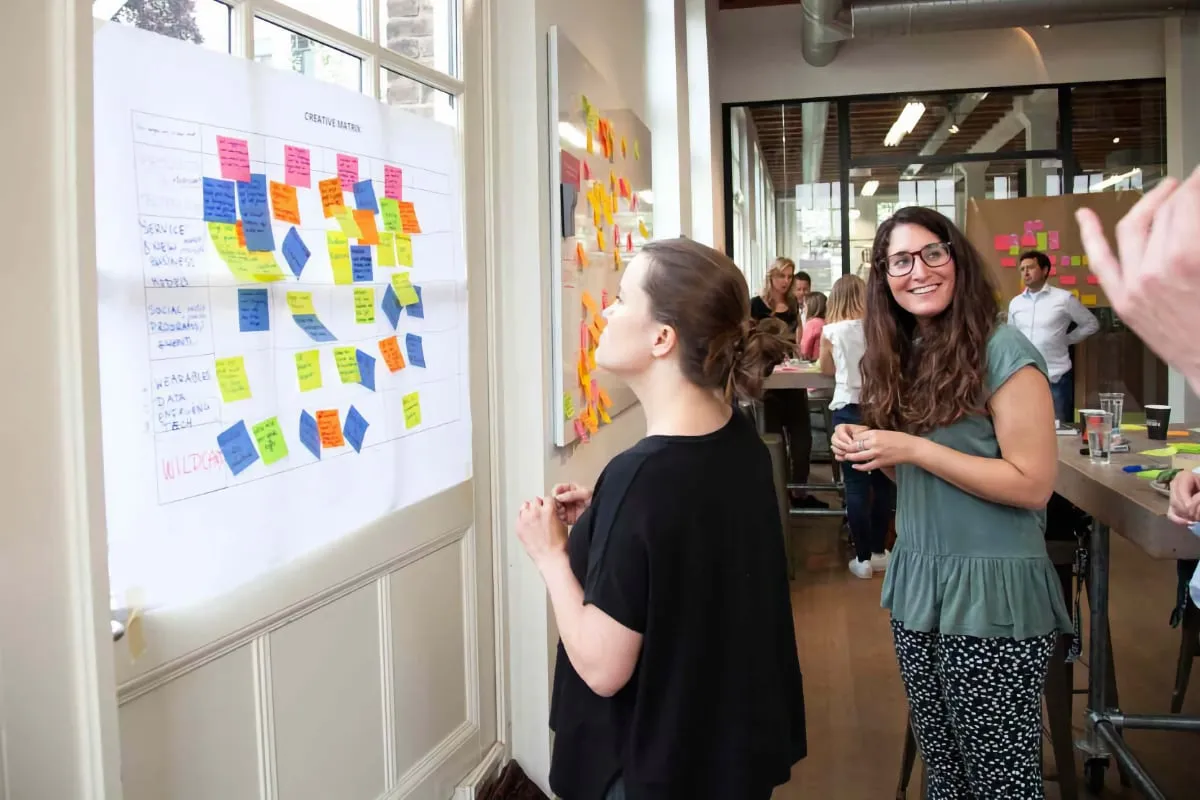
What you'll learn
In a half day or full day, you'll pick a workflow, build a project folder, and leave with tested prompts on your own documents.
Break a workflow into 3 steps
Smaller steps yield better AI output. Learn how to break down any process with clear input and output per step.
Complete the AI Workflow Canvas
Capture goal, audience, sources, and quality criteria on one A3
Build a project folder with context document
Sources, templates, and a context document that tells AI what it needs to know
Tested prompts per step
One prompt per step with [variables] your team can reuse. 80% reusable for similar processes.
Who is it for?
For knowledge workers and process owners who want to speed up a specific workflow with AI. Ideal if you've completed the Copilot Fundamentals and want to build a repeatable, transferable process. From reports to analyses: any knowledge work you do regularly and that involves multiple steps qualifies.
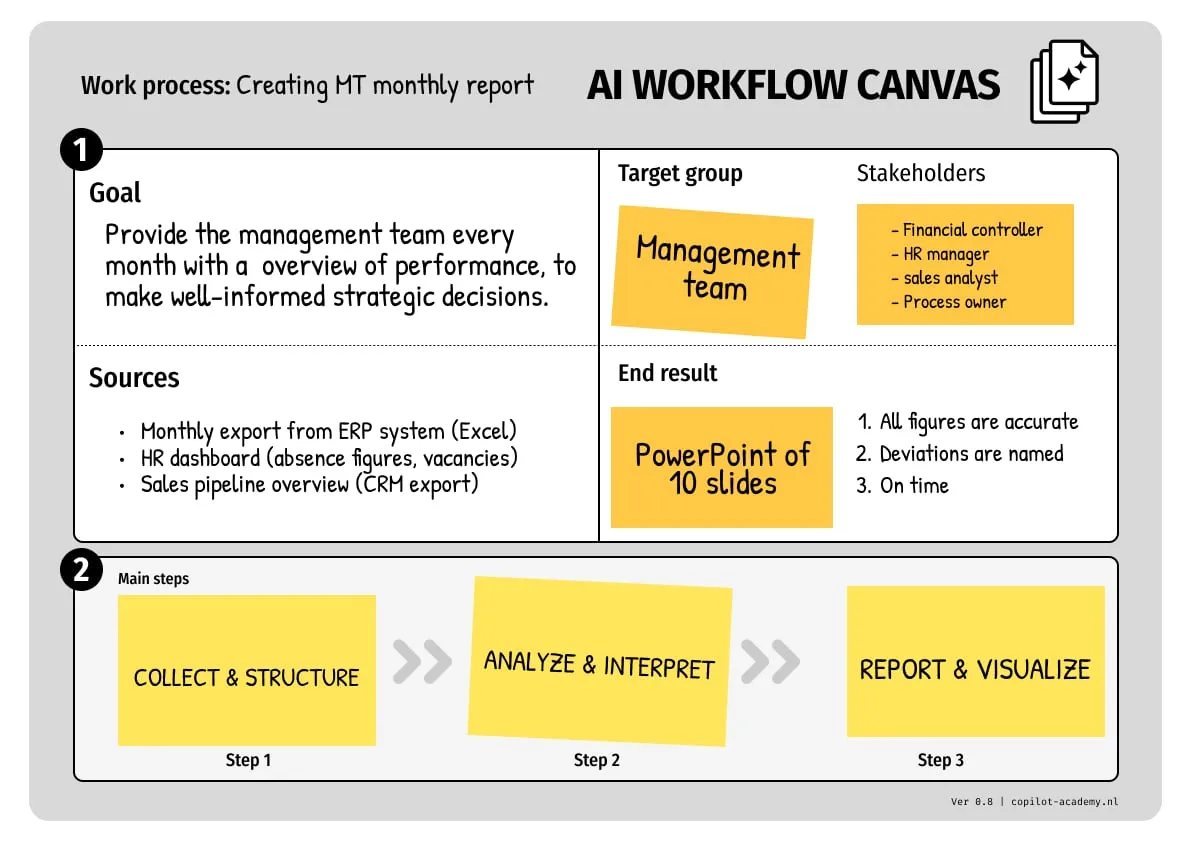
AI Workflow Canvas
Every workflow is structured in a canvas with goal, audience, sources, and steps. Here's an example.
Program
A working session on your own work. From selecting a workflow to testing working prompts.
Select & Define
1 hour
Select & Define
1 hour
- • Select a workflow using 3 criteria
- • Complete the AI Workflow Canvas
- • Define goal, audience, and sources
AI Workflow Canvas
Context & Project folder
1.5 hours
Context & Project folder
1.5 hours
- • Write a context document
- • Improve your document with AI
- • Build a project folder with sources and templates
Context document + project folder
Prompts & Testing
1 hour
Prompts & Testing
1 hour
- • Per step: Input, Prompt, Output
- • Test with real data
- • Document the workflow for reuse
Tested prompts per step
From loose prompts to a fixed process in your knowledge work
Most knowledge workers still use AI loosely: a prompt here, a question there. The real gain isn’t in loose prompts, it’s in fully setting up a workflow you run regularly. In this work session you cut one recurring workflow from your own knowledge work into steps and build a prompt per step your colleague can pick up and run with.
Half day or full day
You choose how much time your process needs.
Half day: you pick your process, fill in the canvas, and work out one process.
Full day: you map the process fully in the morning, then test and refine it in the afternoon. Recommended.
What you’ll walk away with
A work folder your team can use right away
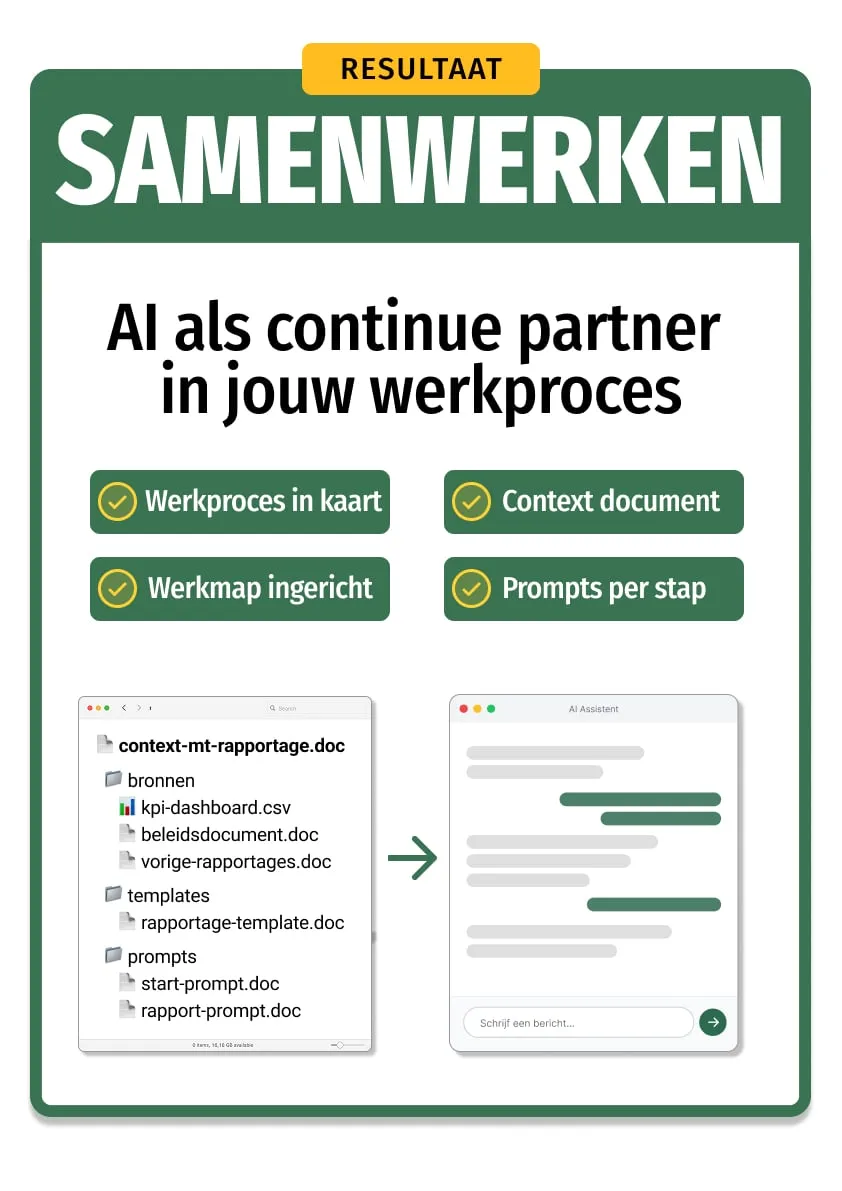
After the session you'll have a complete work folder for one workflow: a context document that tells AI what it needs to know, sources and templates for each step, tested prompts your colleagues can pick up and run with, and an implementation plan for the first time you actually use the process.
Initial setup: 30-60 min. Then 80% reusable.
What you bring
You bring one thing: a workflow you run regularly, with the documents that belong to it.
The 3-step rule
Most workflows fail with AI because you try to cram too much into a single prompt. A monthly report, a competitive analysis, a project proposal: ask for it all at once and you’ll get generic output back.
The fix is simple: break your workflow into 3 steps with a clear input and output for each. Step 1 collects and structures data. Step 2 analyzes and interprets. Step 3 creates the final product. Smaller steps, better results.
But steps alone aren’t enough. AI has no memory between conversations. Everything it needs to know about your organization, your audience, your style, and your quality standards goes into a context document. That document is the difference between generic output and output that sounds like it came from a colleague.
Same prompt, same data. The difference is the context document.

The training opened our eyes to what AI can actually do. We know where to start now. Working with context documents made an immediate difference, and the output is genuinely usable.

Jesse van Driel
Digital Learning Specialist · VodafoneZiggo
Practical information
- Duration
- Half day or full day
- Format
- On-site
- Group size
- 9-12 participants
- Language
- NL / EN
- Investment
- From €2.650 per group
- Prerequisites
- Copilot Fundamentals or equivalent experience
- Materials
- AI Workflow Canvas + context document + work folder + tested prompts + implementation plan
What's included
From €2.650 per group
- Completed AI Workflow Canvas (goal, steps, criteria, and sources for your process)
- Context document for your own work (the organizational and process knowledge AI keeps needing)
- Work folder with sources and templates (where the process starts from now on)
- A tested prompt for every step (task, input, and output, tested on real work)
- Implementation plan (first use scheduled, a colleague as buddy)
Coming soon
- Full video course as reference materialComing soon
- AI literacy e-learning for your whole teamComing soon
Your trainers
Our trainers work with organizations like VodafoneZiggo, Rabobank and DPG Media.




Frequently asked questions
What kind of knowledge work is this session for?
What's the difference between the half day and the full day?
Do I need to prepare anything?
Related articles
How to Copy a Webpage as Plain Text (for AI)
Cookie banners, menus, chat widgets, ads. Copy-pasting a regular webpage into AI usually gives you junk. Two ways to get clean text instead.
Building Your AI Knowledge Base: From Scattered Documents to a Working Memory
AI knows nothing about your organization. A knowledge base changes that. But most documents aren't AI-ready. Here's how to fix them.
Why PDFs Don't Work With AI (And What to Do About It)
PDFs are made for people, not for language models. Tables shift, columns bleed together, numbers get fabricated. Here's how to prevent that.
Book this course for your team
In a quick 30-minute call, we'll figure out if this course is the right fit for your team.

What comes next
Part of our AI Skills Curriculum. Each course builds on the previous one.
Discover the full curriculum
AI Skills Program